 Finding Focus
My team and I designed an LLM-powered AI assistant to provide our teachers with on-demand, personalized support directly from within their interface.
Visit Our Help Center
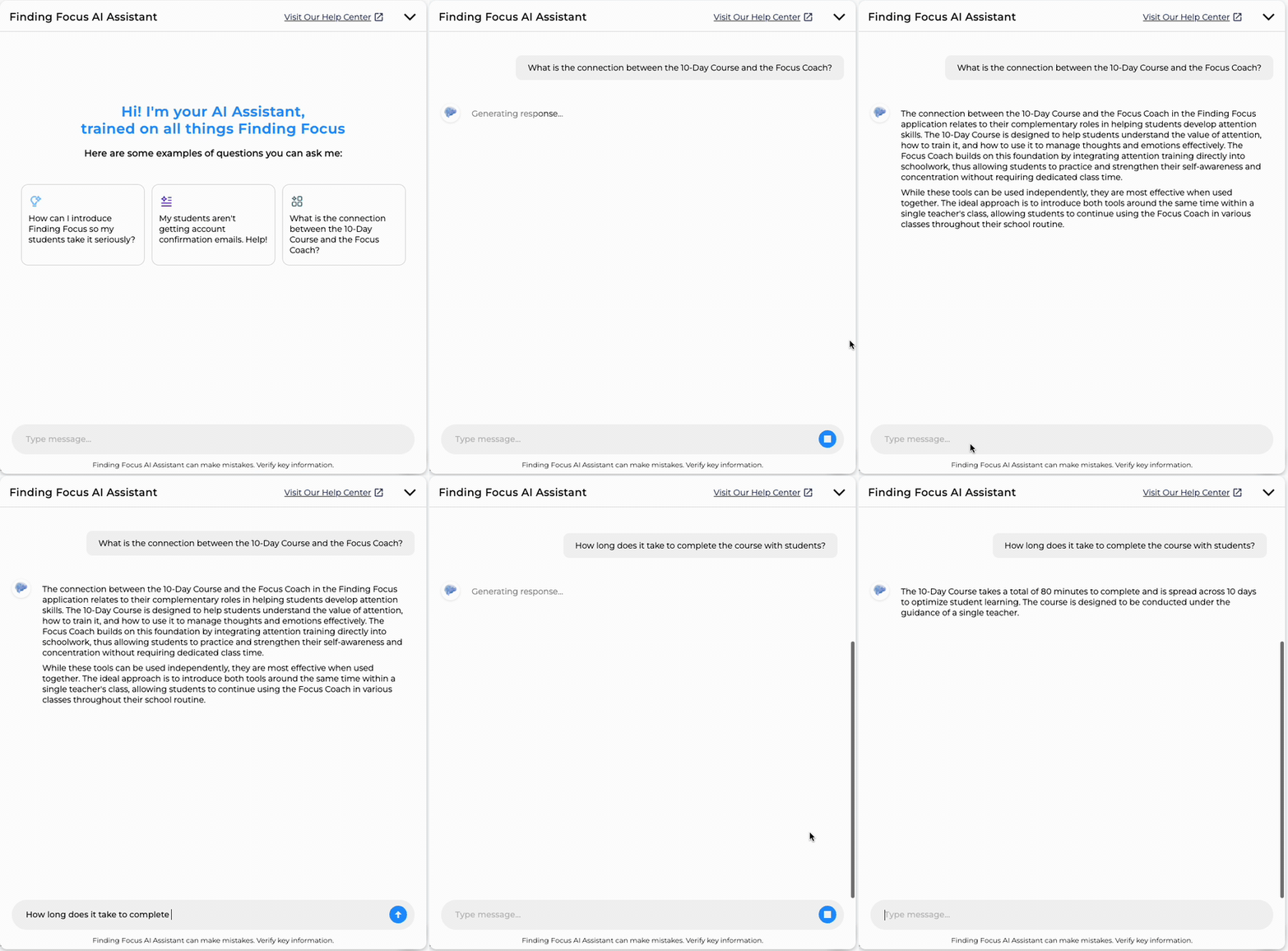
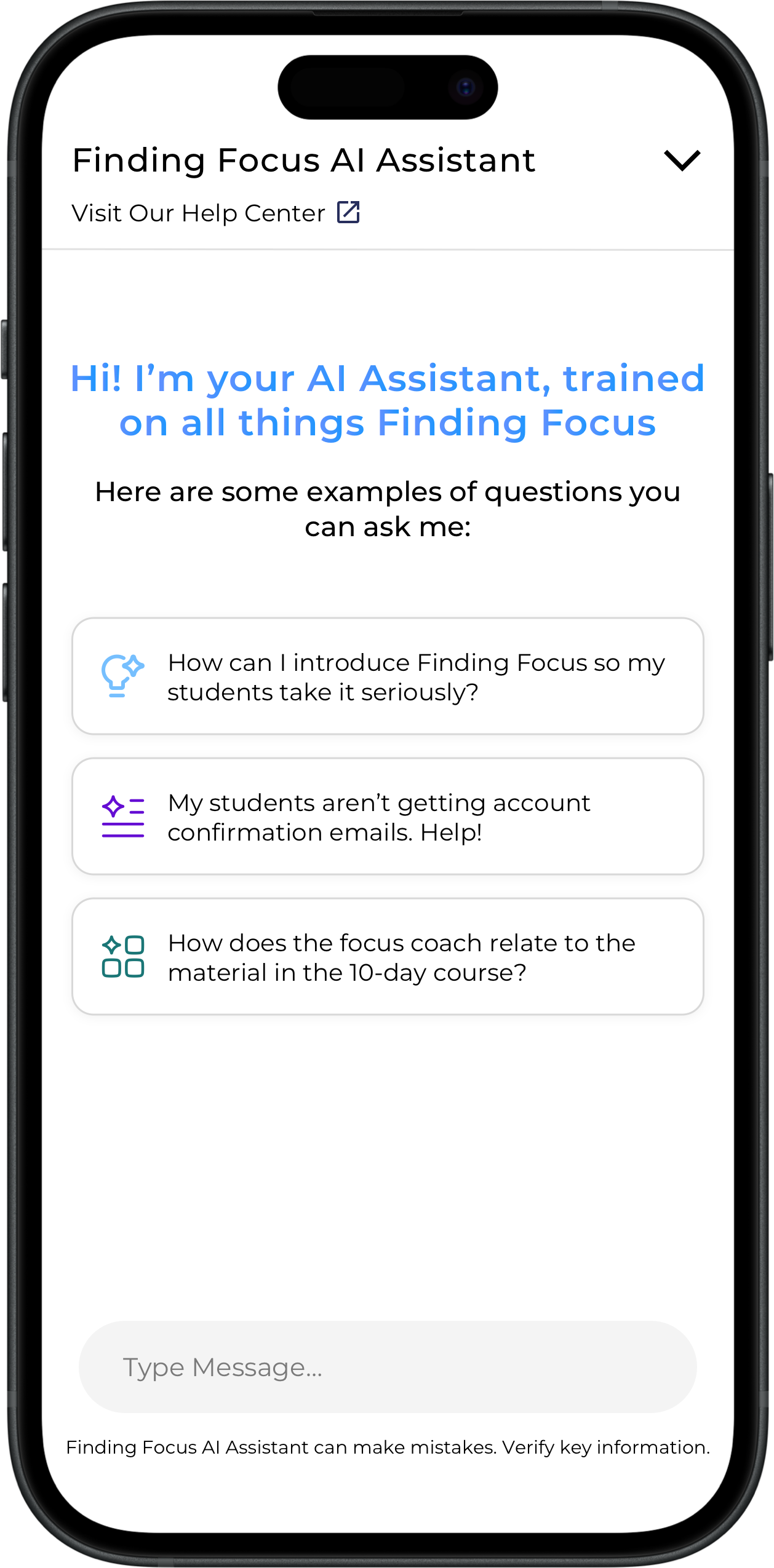
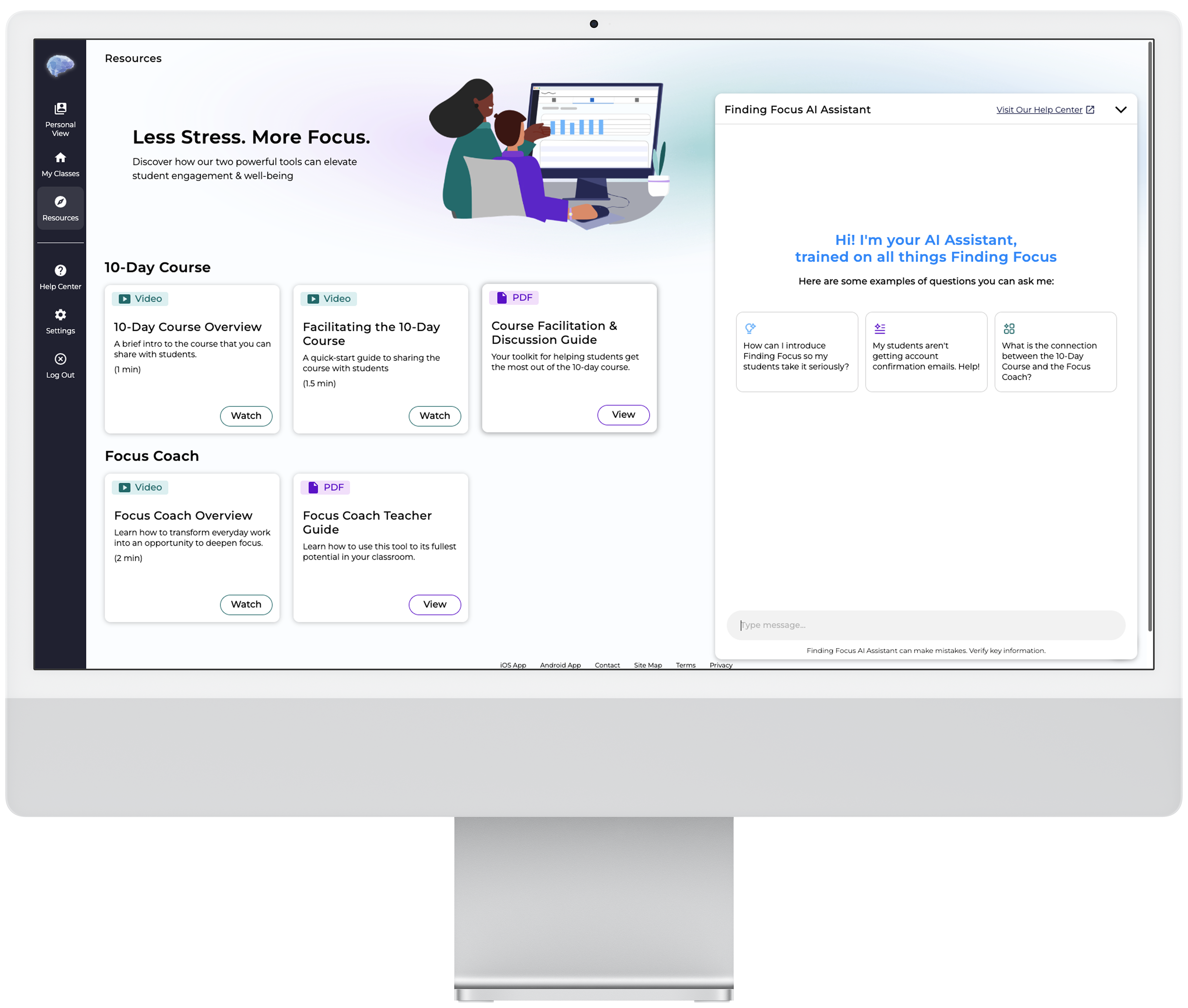
Here are some examples of questions you can ask me:
How can I introduce Finding Focus so my students take it seriously?
My students aren't getting account confirmation emails. Help!
What is the connection between the 10-Day Course and the Focus Coach?
My Role
UX Lead
Team
Mike Mrazek, Co-founder
Thomas Kennedy, SWE
Timeline
Aug – Nov 2024
Context
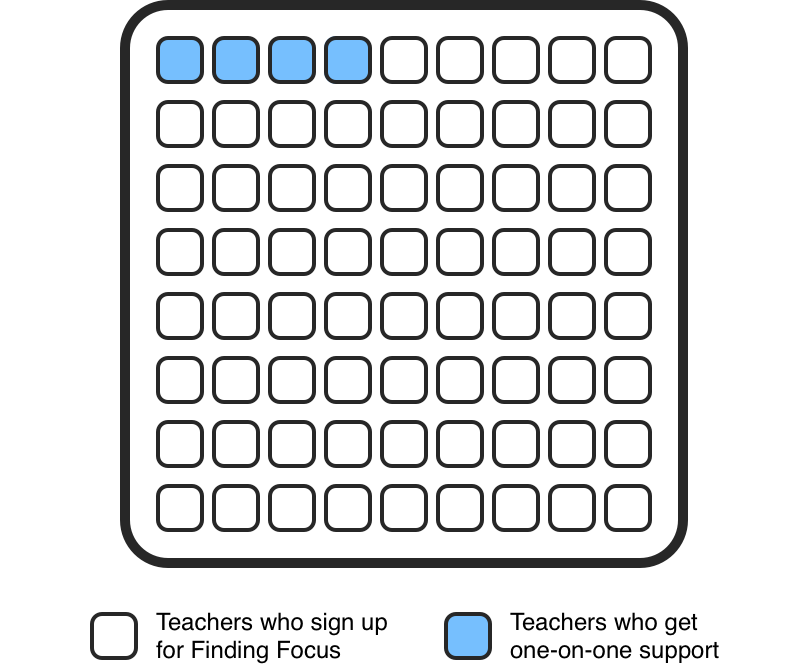
Our most successful teachers shared one common thread — direct support from our team during implementation. With grant requirements pushing us toward AI integration, we recognized that an LLM-powered assistant could provide that same hands-on support to every teacher at scale.
User Insight
The teachers we talked to were burned out from previous experiences with other chatbots — and for good reason. Traditional chatbots run on rigid decision trees. So when a teacher's question didn't match a pre-defined path, the conversation simply stalled — leaving them frustrated.

Limited Responses
Reliance on decision trees creates a rigid conversational flow. If a user's input doesn't fit the pre-defined options, the chatbot gets stuck or provides unhelpful responses.

Lack of Context
Chatbots struggle to grasp the overall meaning or intent behind a message, especially when the language is complex or not straightforward.

Inefficiency
Users end up resorting to other options — like messaging the support team directly — which is time-consuming for everyone involved.
You caught me at an awkward breakpoint 🫣
NORTH STAR
Create a genuinely helpful assistant that provides relevant answers to any teacher question.
Evaluation
Before anything else, Finding Focus had to decide on the 'brain' of our chat interface — the core technology that would understand and respond to user requests. I evaluated two main approaches: Rule-Based NLU systems and Large Language Model (LLM) APIs.

Rule-Based NLU APIs
Diagflow, Amazon Lex, Rasa
Pros
Cons
Excels with well-defined interactions and predictable inputs — fast, accurate, and cost-effective. But rigid.

LLM APIs
OpenAI (GPT), Anthropic (Claude), Gemini
Pros
Cons
Provides dynamic, contextually aware responses that adapt to any query — at the cost of predictability.
The Winning Choice
LLM Powered API
OpenAI's Assistants API was the clear choice — its ability to truly understand queries, respond naturally, and connect directly to our external knowledge base made it the right fit.
Comparative Analysis
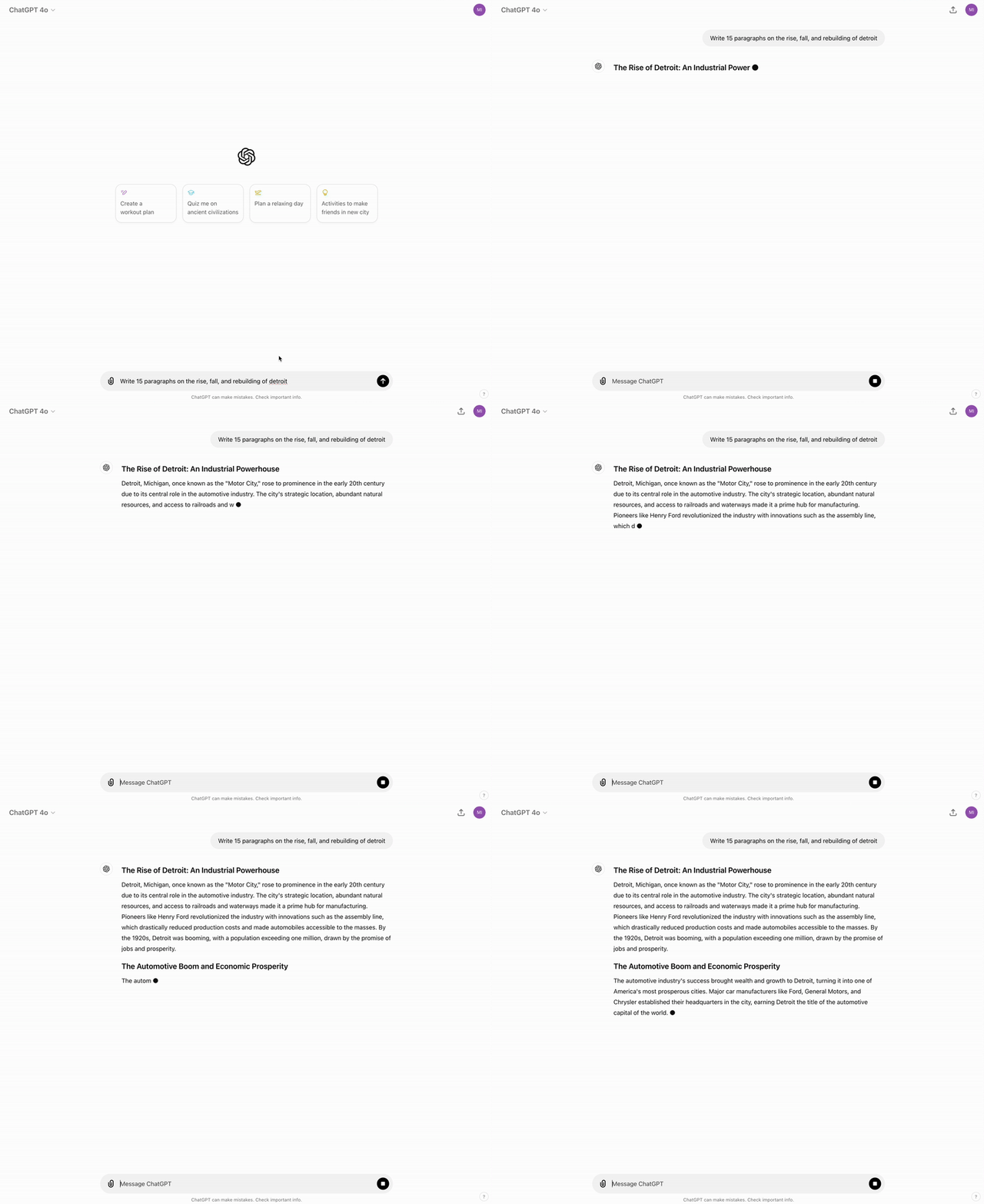
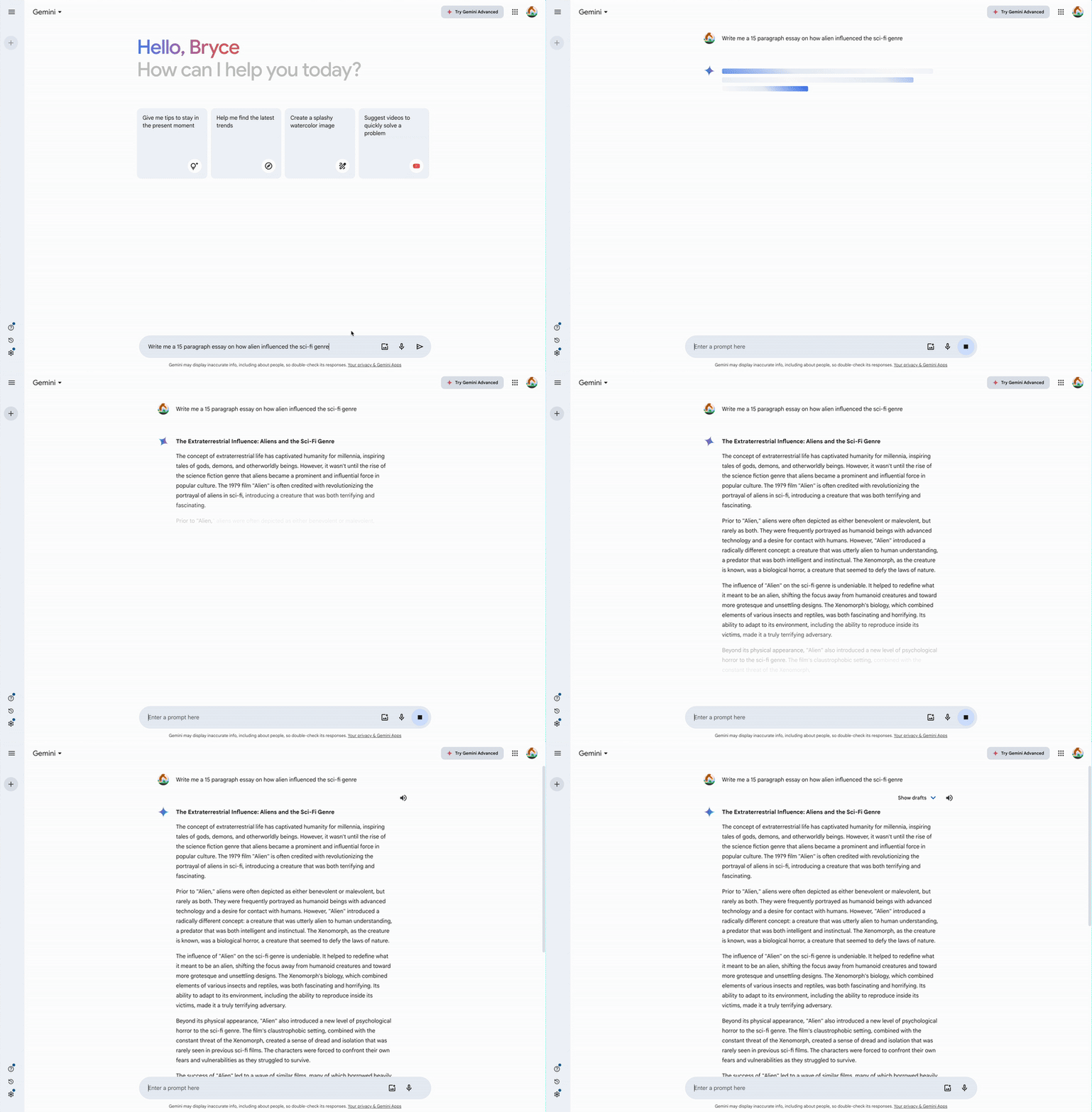
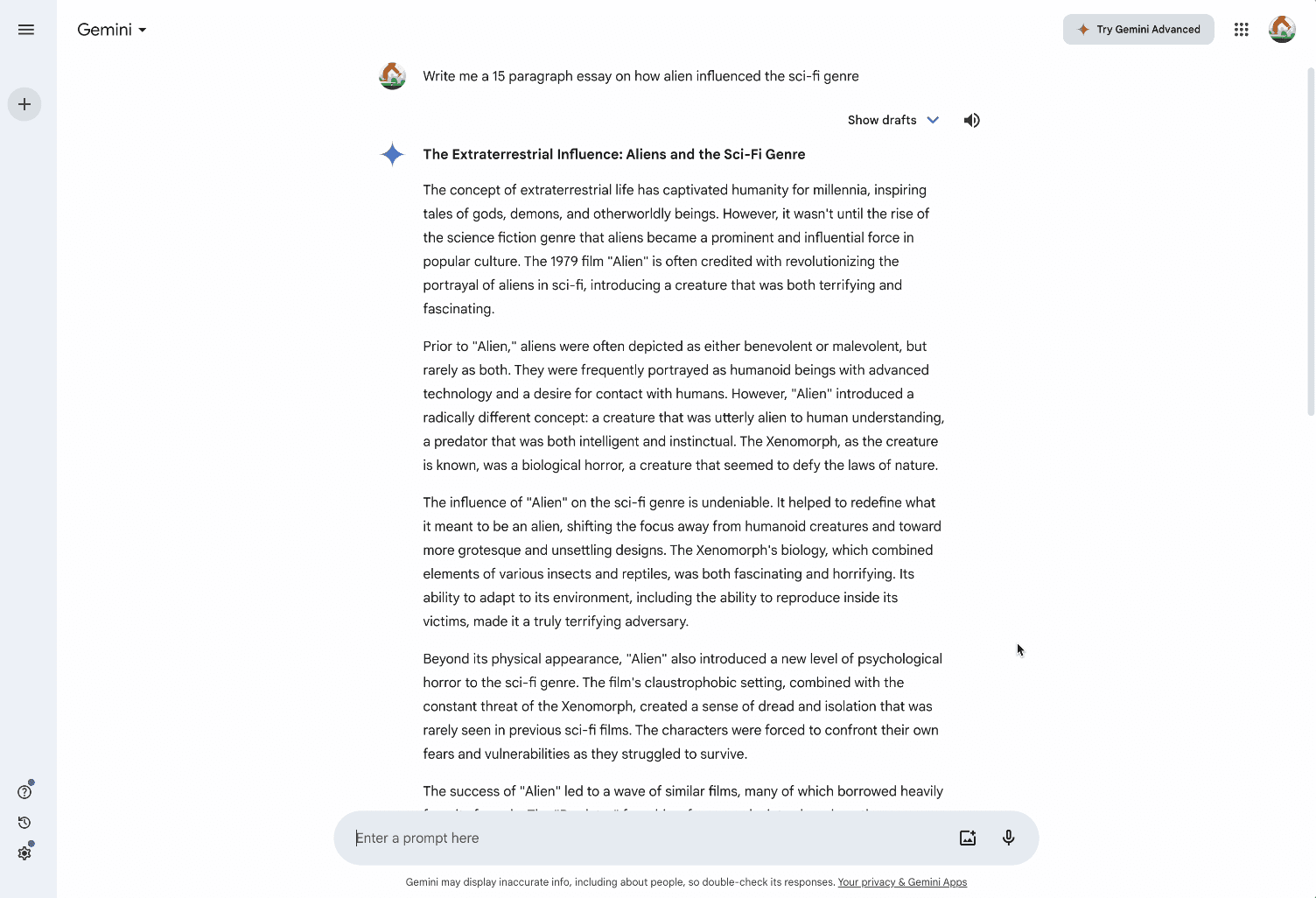
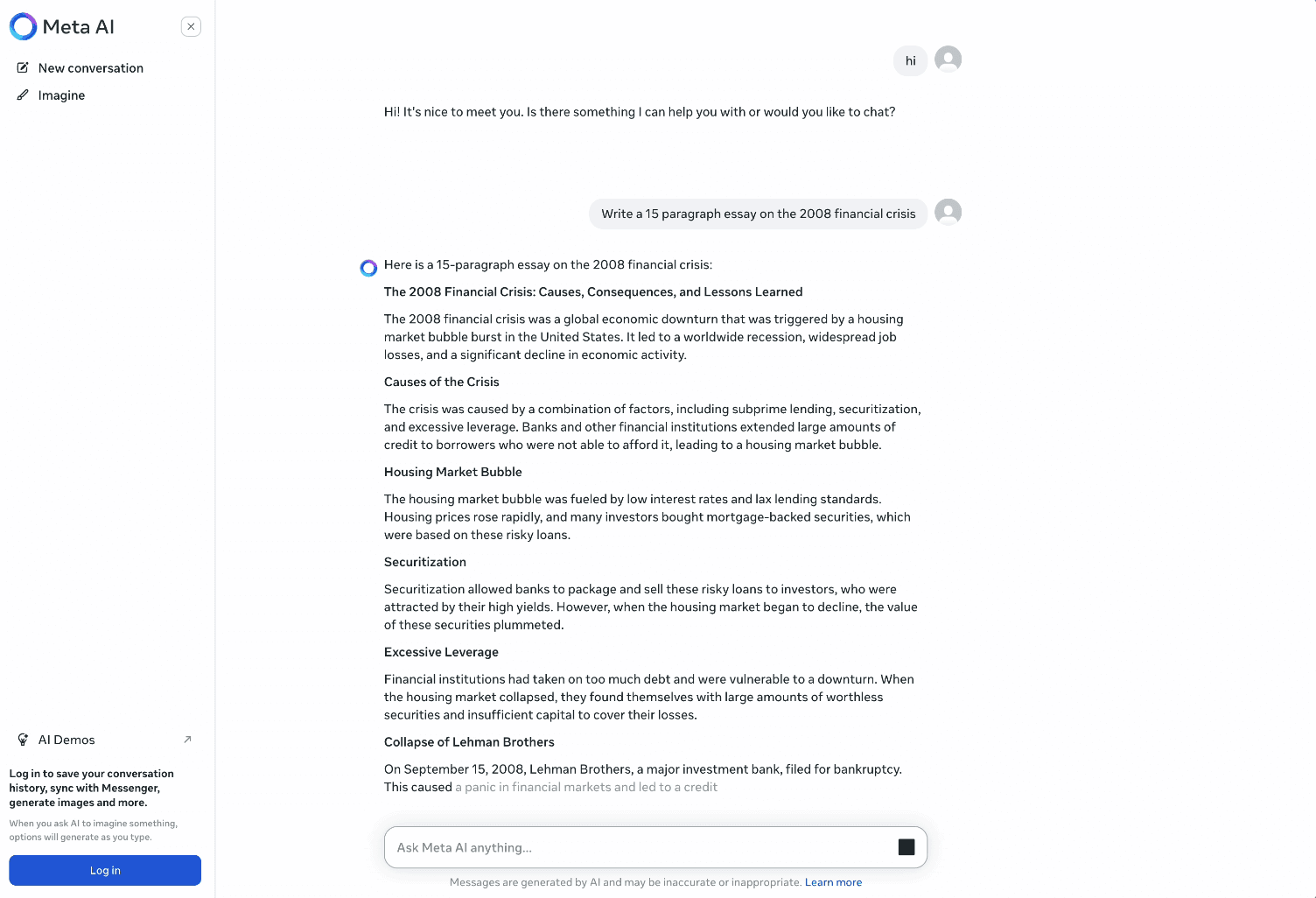
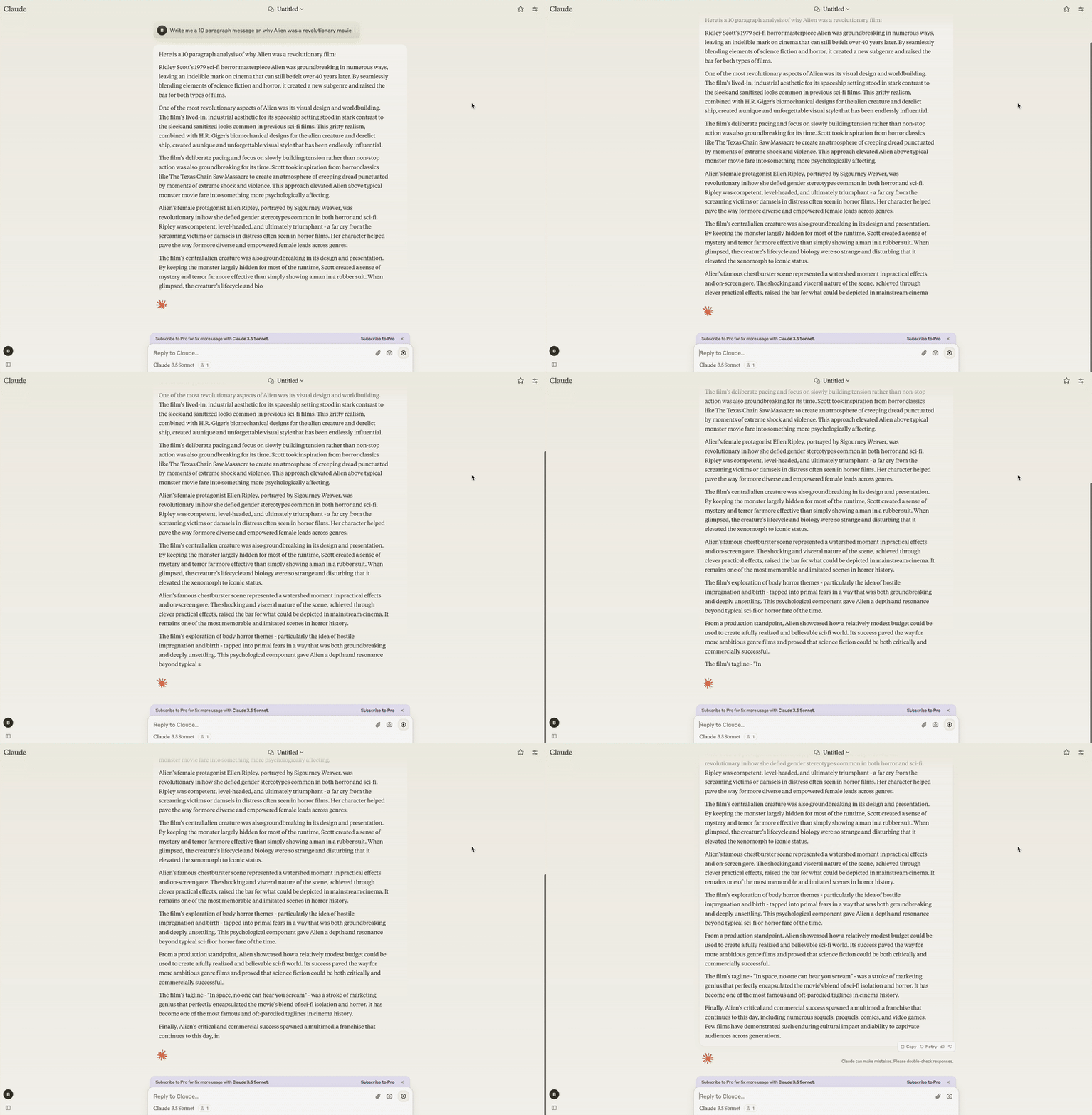
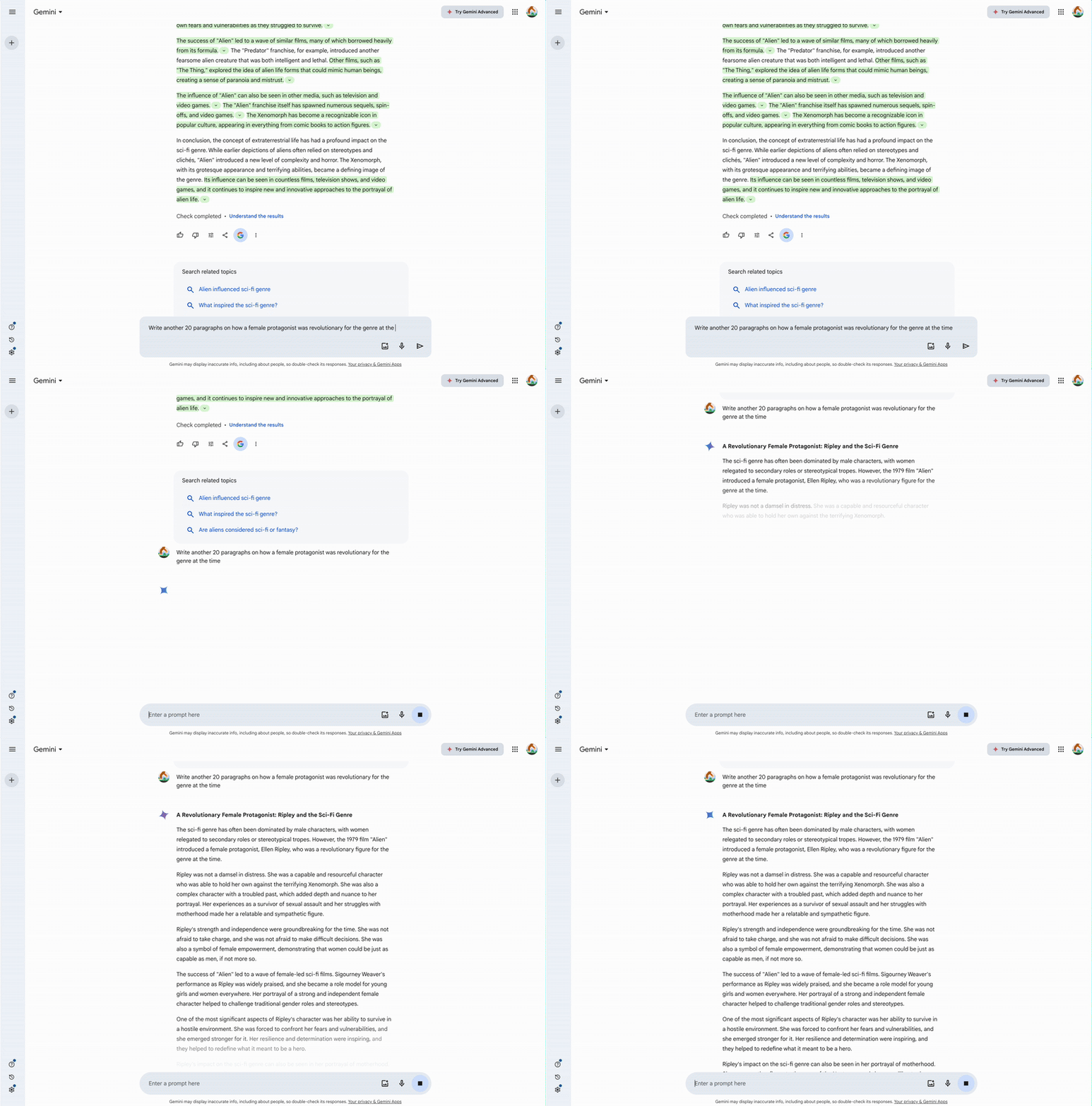
I conducted a comprehensive comparative analysis of leading LLM chat interfaces — Gemini, Claude, Meta AI, and ChatGPT — focusing on three key areas that would shape our design direction.
Key Insights
The comparative analysis of leading AI chat products revealed consistent patterns that separate frustrating experiences from genuinely effective ones — three design decisions that every LLM chat interface should get right.
Implement letter-by-letter text streaming
Streaming text as it generates provides immediate visual feedback, making the assistant feel faster and more responsive than waiting for a complete response.
Use distinctive styling for user vs. AI messages
Left/right message layout with user bubbles follows conventions teachers already know, making it effortless to follow the conversation without learning new patterns.
Anchor each message in a fixed section
Keeping each exchange in its own stable container prevents the layout from shifting as text streams in — so teachers can read without losing their place.
UX Considerations
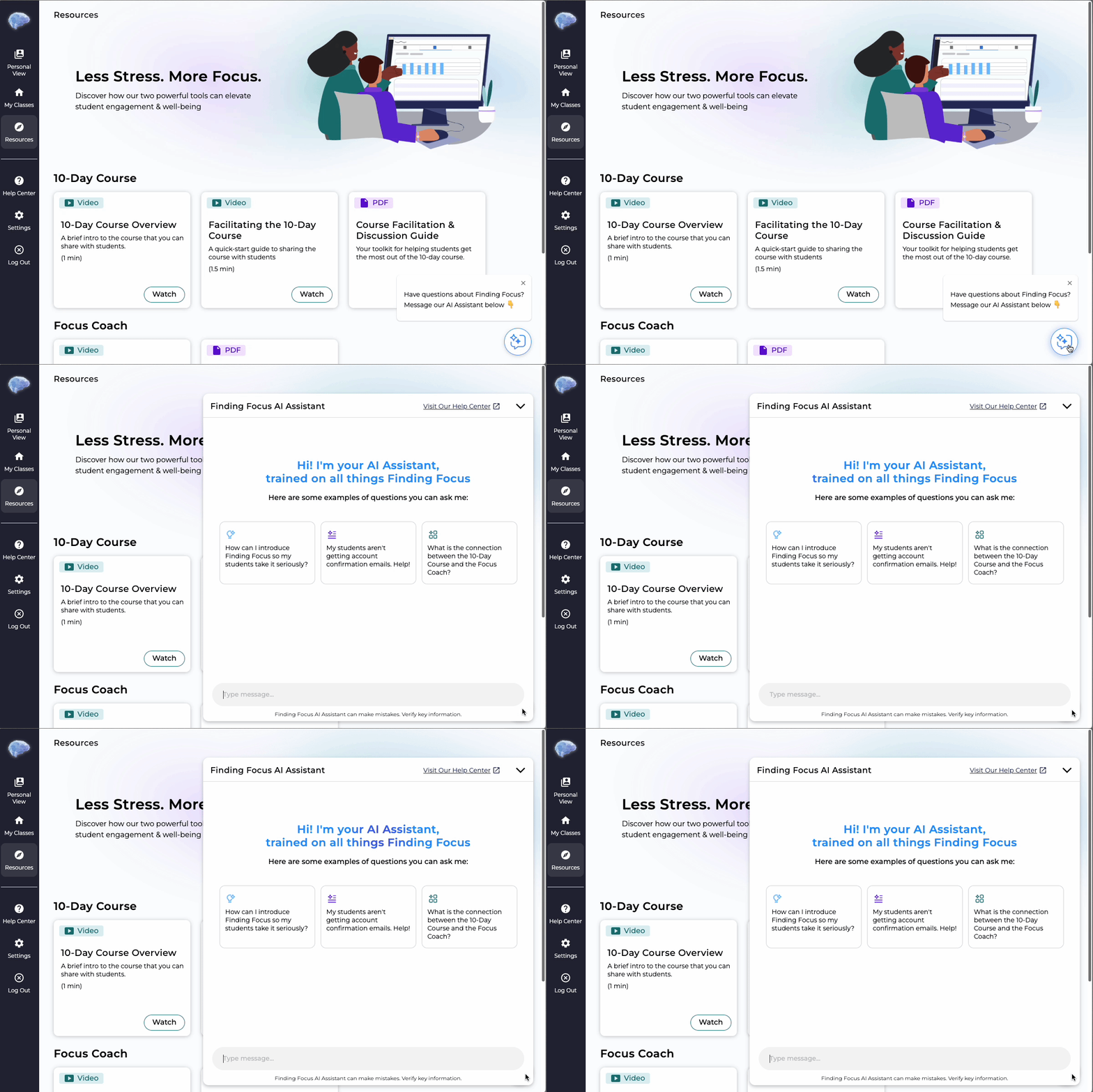
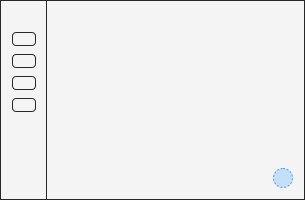
Entry point placement shapes everything — it determines how often teachers reach for the tool, and whether it feels like a core part of the platform or an afterthought. Getting this wrong means the assistant goes unused, no matter how good the experience inside it is.
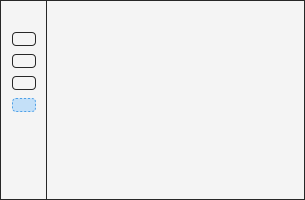


Option 1 — Dedicated Tab in the Nav Drawer
The Winning Choice
Floating Action Button
Always reachable without pulling teachers away from what they're doing.
How the assistant appears on launch had real stakes — would it feel like an interruption, could teachers easily dismiss it without losing progress, and would it give the experience enough room to work?
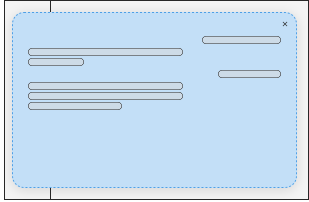

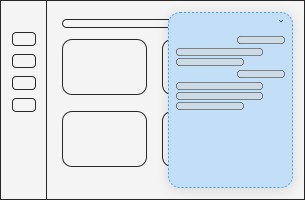

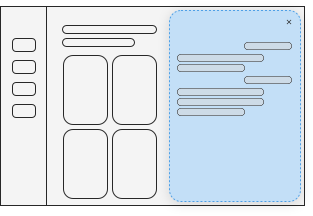

Option 1 — Full Screen Modal
The Winning Choice
Anchored Modal Overlay
Stays present without taking over — enough screen space to have a real conversation, without losing sight of where you are.
The empty state is the assistant's first impression. Get it wrong and teachers either don't know where to start, or worse — don't trust the tool enough to try. The goal was to give just enough guidance without making the experience feel scripted.
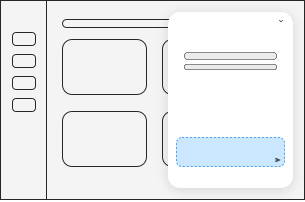

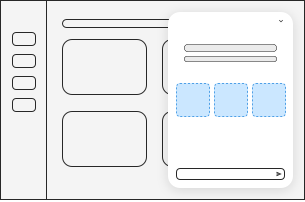

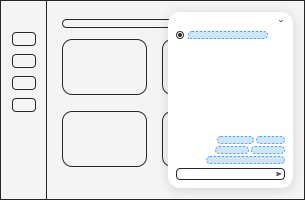

Option 1 — Blank Input · No Suggested Questions
The Winning Choice
Suggested Question Tiles
Question tiles give teachers a clear starting point — and signal what the assistant is actually capable of from the moment it opens.
Final Designs
The three big decisions shown above — access point, display format, empty state — shaped the core design direction; however, this project also included dozens of smaller decisions that don't each merit their own section, but collectively helped shape the final experience.
Outcomes
We didn't approach this project with explicit success metrics — the original driver was grant competitiveness. That said, the results were still meaningful: since implementing the assistant, support ticket volume has decreased by 12% compared to previous semesters. The assistant has helped teachers get answers without needing to directly reach out to our team — which was the core promise of the tool.
12%
decrease in support tickets
Design Landscape
There's no settled playbook for LLM chat UI yet. Patterns that work for ChatGPT don't automatically translate to a tool teachers use mid-workflow.
What I Learned
Working hands-on with the Assistants API — vector storage, context windows, system prompt design — gave me a much more grounded picture of what's actually happening under the hood.
Honest Takeaway
Teachers who onboard with a team member still see higher implementation success than those who don't. The assistant is a support layer, not a replacement for human connection.
If I Could Do It Again
Early-stage startup work rarely has runway for structured usability testing before shipping. It made the competitive research more load-bearing — when you can't test with users, understanding what established products got right becomes your best available signal.